Each ward has detailed data on general occupancy availability and also individual patient occupancy. It is easy to see when the patient is due or overdue to be discharged.
Friday, June 2, 2023
Ward (Bed) Management (Part 1)
Each ward has detailed data on general occupancy availability and also individual patient occupancy. It is easy to see when the patient is due or overdue to be discharged.
Thursday, March 9, 2023
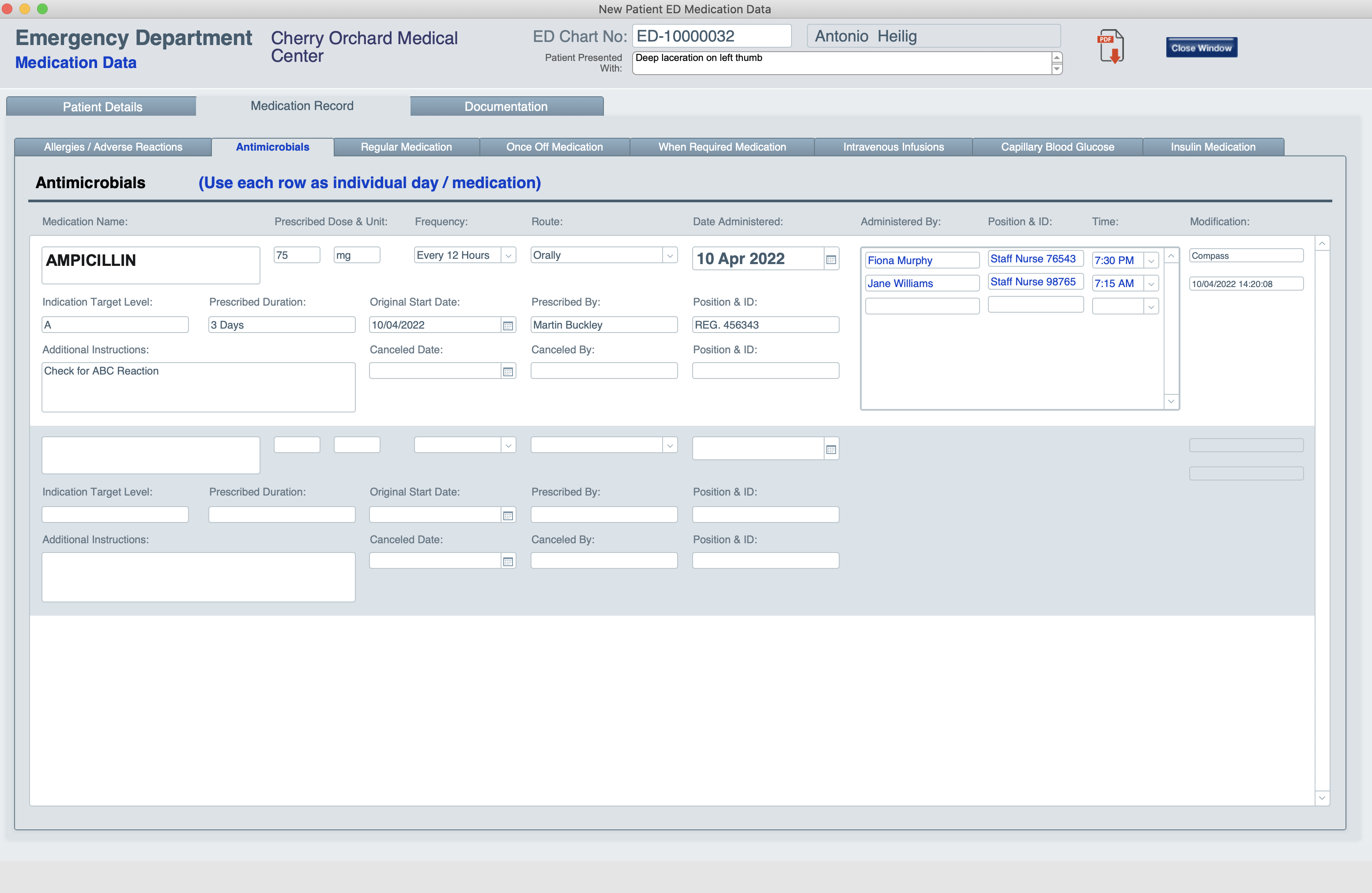
Patient Medication Charts
- Antimicrobials
- Regular Medications
- Once Off Medication
- When Required Medication
- Intravenous Infusions
- Insulin Medication
Tuesday, January 17, 2023
Patient ED Charts (Part 6)
- Major Injuries
- Minor Injuries
- Eye Casualty
- Paediatric
- Geriatric
Monday, December 19, 2022
Label Printing
Label Printing:
Thursday, November 10, 2022
Patient (BUFS) Charts (Part 2)
Patient ED (BUFS) Charts:
Wednesday, September 21, 2022
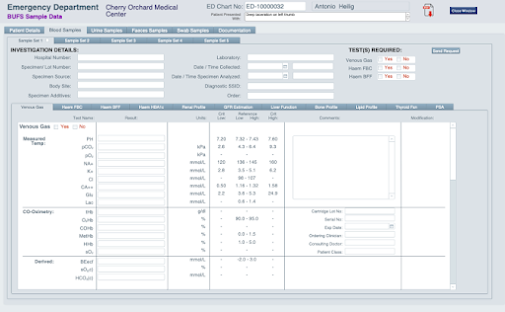
Patient (BUFS) Charts (Part 1)
Patient ED (BUFS) Charts:
- Venous Gas
- Haem FBC
- Haem BFF
- Haem HBA1c
- Renal Profile
- GFR Estimation
- Liver Function
- Bone Profile
- Lipid Profile
- Thyroid Fxn
- PSA
- Physical Characteristics
- Chemical Measurements
- Microscopic Examination
- Drug Screening
- Bristol Stool Form Scale
- Metabolic Examination
- Bacteriology Examination
- Covid-19 Swab
- Multiple Time / Day Entry
- Upload multiple documents to support above samples
Thursday, July 7, 2022
Patient ED Charts (Part 5)
Patient ED Charts:
Thursday, June 2, 2022
Patient ED Charts (Part 4)
- Respiratory Distress
- Tachycardia
- Pyrexia or Hypothermia
- Hypertension
- Neurological Deterioration
Wednesday, March 23, 2022
Patient ED Charts (Part 3)
TAB DESCRIPTIONS CONT.
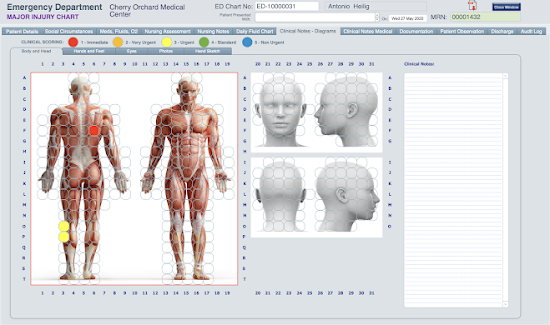
This section uses a graphical interface to identify location and colour code the seriousness of the injury, pain etc. These overlay 3D images of the body etc.
The colour coding in 'spheres' ranges from (1) Red - Immediate to (5) Blue - Non Urgent. These are laid out in an alpha / numerical grid. Text descriptions can be entered on the right hand side i.e. " A puncture wound at F6 Level 1...."
Sub-Section 1
Covers Body & Head
Sub-Section 2
Covers Hands & Feet
Sub-Section 3
Eyes
Sub-Section 4
Allows multiple photographs to be added
Sub-Section 5
Allows hand sketches to be drawn (using a pen on a tablet or PC with touch screen).
- Overview
- 4x tabs (pages) for entering examination notes.
- Clinical Examination Findings which includes sections for Admission Acceptance and Patient Discharge.
Tuesday, December 14, 2021
Patient ED Charts (Part 2)
TAB DESCRIPTIONS CONT.
- Breathing
- Circulation
- Elimination
- Disability
- Mobility
- Consumption
- Exposure
Tuesday, September 14, 2021
Patient ED Charts (Part 1)
The Patient ED Chart is central to patient care.
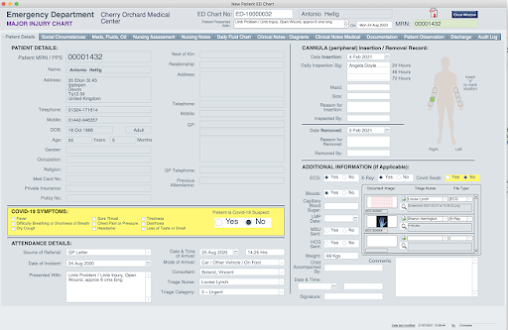
This is a multi-tabbed layout where all the patient observations, assessment, treatment, scans, reports and much more is captured in an electronic document. A new document is created each time the patient attends ED and most important of all.... ALL previous attendance charts are instantly available.
- Patient details confirmed
- Covid checklist
- Attendance details
- Canula Insertion / Removal record
- Test results recorded and results from and ECG, X-Ray etc stored as images / documents.
- Lab samples sent.
- Family Details and Support
- Patient Mobility
- Communication
- Observed Impairments
- Services Used e.g. Home Help
- Personal Property Details
- Arranged in a linear mode, in 3 sections.
- Unlimited number of entries can be made per section
Tuesday, April 6, 2021
ED Attendance Module (Part 3)
Show on ED Status Board
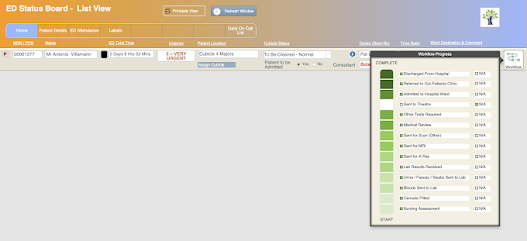
Once the patient has been Triaged, if they have not been discharged, they will be moved to another area within the ED for further treatment, to be seen by a doctor or admitted to the ED for longer term observation / treatment. The ED status board layout is a "live" picture of the occupancy within the Emergency Department. While it is managed via a PC screen, ideally it would be a projected on wall display much like what you would see behind the counter at McDonalds or airport departure lounge.
This gives the nursing staff, doctors, etc., live access to wide array of patient information, cubical status and much more. This would be far more efficient than using a standard white board. This is not to be confused with the 'Admission' layout, the intent is to show all patients within the ED; admitted, pre-admitted and those receiving treatment who will not require admission.
Monday, February 22, 2021
ED Attendance Module (Part 2)
On presentation at the Emergency Department, the patient's details can be easily checked and amended if required. Also their attendance details can be added (mode of arrival, referral source and previous attendances etc.). Both by clicking a simple button.
Other buttons on the ED Patients Check In Layout allow the user to view the GP Referral, Discharge the patient and begin the process of admitting the patient as an In-Patient.
So far the features of the ED Patients Check In Layout are pretty standard, this begins to change with the pop-up Triage layout.
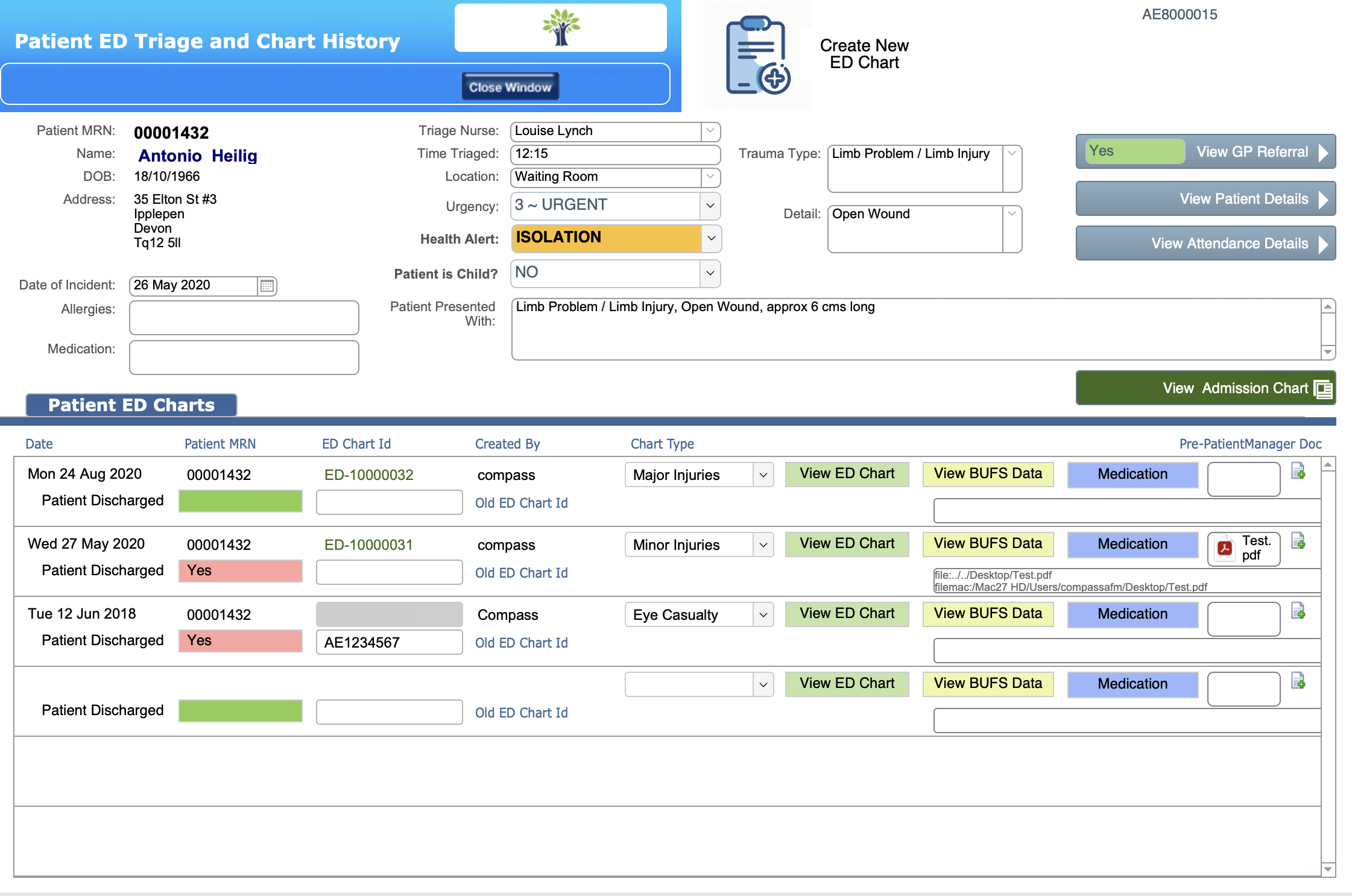
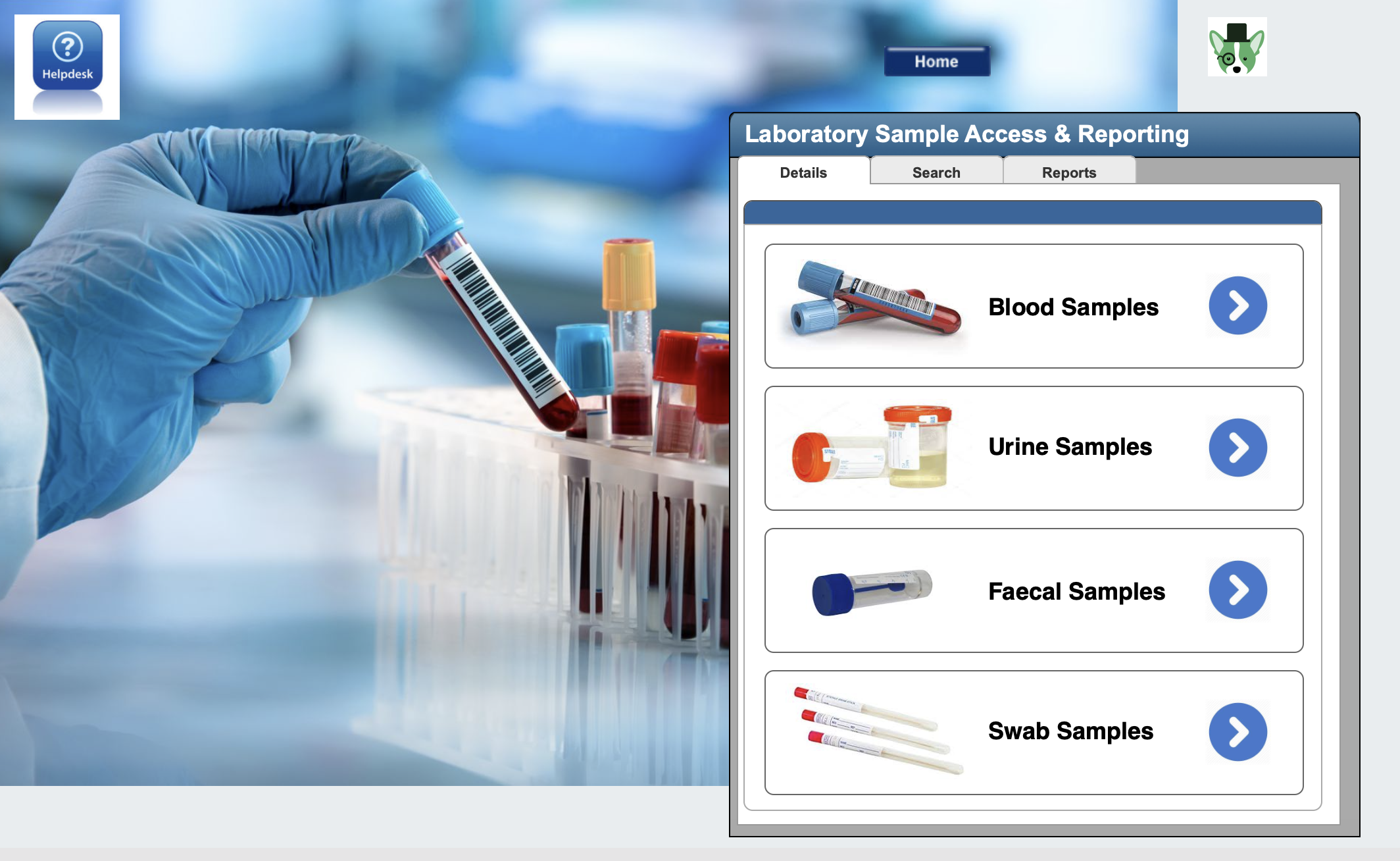
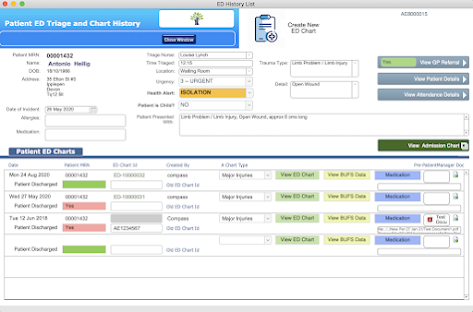
As we have said before, PatientManager is a virtually paperless EDIS / EHR software solution, from this layout the Triage nurse has access to the patient's details, GP Referral, and most importantly any previous ED charts, BUFS (Blood, Urine, Faecal and Swab lab results) charts and prescribed medication charts.
The Triage nurse can also access the digital Admission Chart if the patient had been admitted previously again it would be possible to scan and store historic paper charts as .pdf files.
The goal is to give nurses and doctors instant access to the patients entire medical history and data.
Saturday, November 7, 2020
ED Attendance Module (Part 1)
The ED Patients Check In Layout is for the registration of all patients arriving at the Emergency Department.
Features looking from left to right...
- Special patient requirements i.e. Isolation
- Photo ID
- Patients ID number - links to patient details and pop-up to enter attendance details
- Name
- GP reference (as mentioned in previous post) identified & viewable
- Timestamp on ED entry
- Total time in ED with colour code
- ED Visit ID
- Triaged By
- Pop-up to Triage details and ED chart generation
- Time Triaged
- Patient treatment urgency level
- Patient current location
- Patient presentation details from Triage
- Pop-up to Doctors notes and patient ED chart (current & historic)
- Seen by doctor & time
- Admission notes (allows entry of location historic paper notes / chart)
- Event Log of patients passage through ED
- Discharge - to remove patient from list and move record to archive module.
- Admit to Ward - To transfer patient details to In Patient module and remove from list.
- Show on ED status board - a special layout that could be displayed on a big screen in ED (eg those seen in airports).
- Dashboard - opens multiple mini windows on RHS showing various customisable status options.
- Numeric info bar at bottom.
- All columns are sortable.
- All patients can be displayed or by a particular location.
Sunday, August 16, 2020
GP (Doctor) Referral
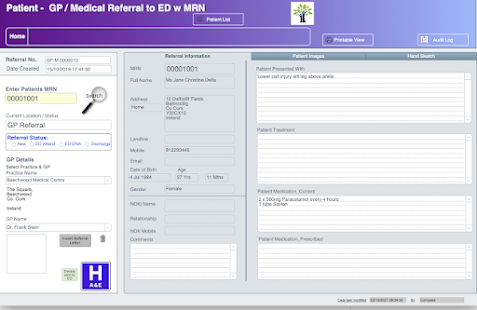
Time and information are keywords in patient care. Many patients arrive at the Emergency Department following a referral from their GP (Doctor). The information relating to their condition can be conveyed to the hospital by several means;
- A letter
- Fax
- Online Electronic Service
By clicking on the blue "H" button the hospital is alerted to the referral and due arrival of the patient. Thereby, if required, the information relating to the patient can be reviewed in advance of arrival and any necessary preparations made.
Friday, April 24, 2020
Module - Patient Details
Within an Emergency Department, there is nothing that generates more difficulty and issues, then when a patient arrives without ID and is unable to communicate - A John / Jane Doe.
Especially if the patient is badly injured or has suffered a major trauma, missing information can delay essential treatment, while critical data is freshly obtained i.e. blood type etc.
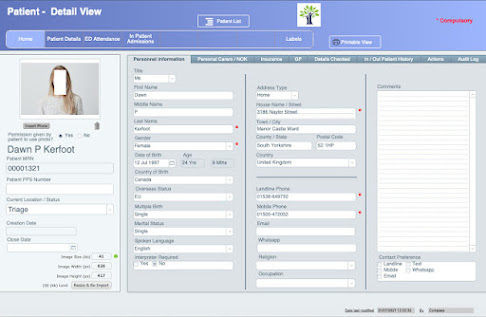
PatientManager stores very detailed information on each patient including photo ID, personal information, personal carers / NOK, Insurance, GP. Every field is searchable singularly or as part of a group.This means over 40 different searchable field to identify or confirm the identity of the patient. This makes positive identification highly probable and greatly lowers the risk of the patient being a John / Jane Doe. A large comments field can be also used to add additional searchable data, such as an identifiable birth mark, scars etc.
Within this module there will also be access to full In / Out patient history, an audit log tracking all data changes and an 'actions' tab for access to additional tasks such as printing labels etc.
Tuesday, March 31, 2020
Module Home Pages
Each module's homepage (layout) will have a common visual theme.
Split over 4 tabs;
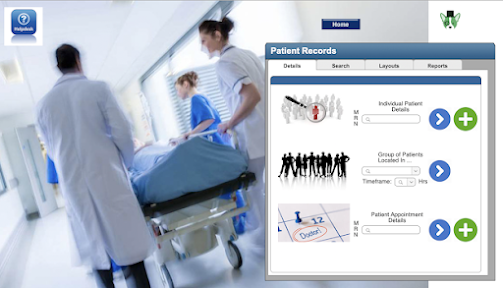
- Details - 'Instant' tools to access the most common required info or tasks
- Search - Search all records within layout with most common search fields
- Layouts - Navigation within module
- Reports - Multiple built-in ready to use reports.
Monday, March 16, 2020
Set Up Layout
This is the main administrative area of PatientManager. This gives an "Admin" level user to make comprehensive changes across the database without needing assistance from CompassAFM. For example:
- All drop-down menus can be modified.
- Data lists can be modified
- It allows users to be added or removed from the database.
Similarly, it will be very easy to add or remove users. There will be multiple levels of access dependant on the users role within the hospital.
Wednesday, March 4, 2020
The Home Layout
Well over the last couple of weeks we have been experimenting with various ideas for a home layout and this is where for the meantime what we will use...
The idea is that it is a 'welcome' personalised to the user and with quick access to the main modules. So let's go through the design.
- The Hospital graphic can be replaced by any image the user (hospital) desires.
- The tree logo again can be replaced by the hospital logo
- Personal greeting to the user.
- On the right there will are links to 6 modules;
- Patient Details: Comprehensive details on the patient including personal information, In & Out patient history.
- GP Referral: This will allow a GP (General Practitioner) to provide in advance to the hospital, patient health & medication details, treatment carried out, images (inc ECG & X-Rays), Hand drawn sketch. As well as advising of imminent attendance of the patient to hospital ED.
- ED Attendance: Tracking of patient on arrival to ED, Triage, Generation of new ED Chart and access to all historical charts. Generation of ED Status board, Admission of patient to Ward.
- Paramedic Callout: Ability for paramedics to transfer data to ED on patient condition while on route to ED.
- Out Patient Appointments: Allows the generation of appointments from various clinics and capture of patient care data from appointment.
- In Patient Admissions: Admission of patient to ward, and capture of all patient care data while and in-patient. Bed management and billing functions.
- On the bottom there are links to 4 functions;
- Set Up: To setup hospital information, Administrative Data Lists (consultants, patient locations, insurance companies etc.), Medical Data Lists (Triage Trauma Categories, Blood Test Categories etc.).
- Help: Access to full online help and tutorials.
- Mobile Access: Layouts designed to work with mobile devices & tablets.
- Scanning: Ability to scan both bar & QR codes.
- Also not shown on image, full drop down navigation available from every layout, allowing you to easily navigate through PatientManager with a single click.
Thursday, February 13, 2020
Design Theme
PatientManager® and its logo is a registered trademark and owned by Compass Software Technology Limited (T/A CompassAFM). All product images are protected by copyright© (2019 -2021) and may not be used without the written permission of the owner - Compass Software Technology Limited. All rights reserved.